King Jim Pomera DM250 Review
A longer video review can be found here: https://www.youtube.com/watch?v=qThoxWpRlss&t=162s
This could be the device for those looking for a svelt, basic yet capable disrtaction free text writer. A little more care with materials and keyboard quality would elevate this to near perfect.
Hardware
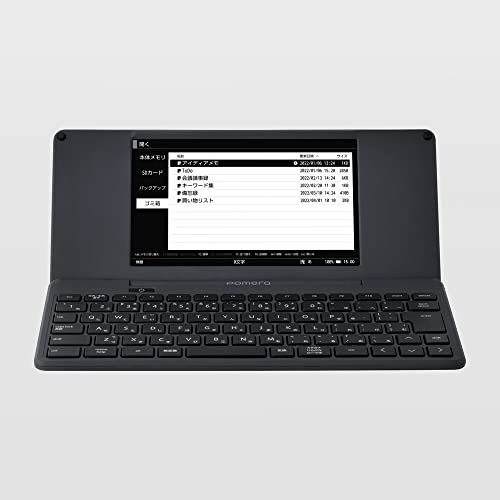
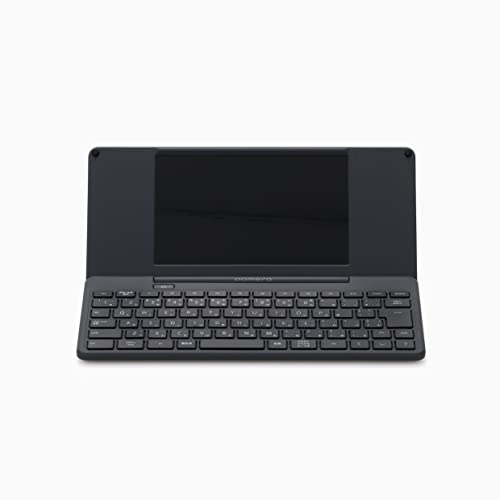
I'm a big fan of how this looks. It's smaller than I imnagined and its plain, logo free dark smokey grey clamshell is refreshingly minimalist. It disapears in a back pack. It feels solid enough with just a enough weight to keep it stable. It's not the highest quality plastic and I wouldn't be happy dropping it on concrete. There is an SD slot and USB C port on the side.
The keyboard is smaller and more cramped than the Mackbook Air I'm used to. However, after four days I'd become fluent with it. The keyboard posing no barrier to my writing. It's not exactly joyful to type on, like say the macbook or standalone mechanical keyboards, but they get the job done efficiently and without fuss.
One issue to flag, straight out the box the ";" keycap popped loose, and has done so 3 or 4 times. It does click back in and they key works without problems. I had to flag this though.
The UI and File Management
Part of the appeal of this device and others like it is, the distraction free environment they provide. The DM250 does all of this without fanfare, from the stealthy case, lack of logos (there's one modest logo on the hinge) through to the user interface. Once you have set the language - not forgetting to hit alt and the chinese characer key to the right of the esc key - you're good to go.
There is very little to get in your way. Open, write, that's it.
There are speakers and therefore no dings ot system sounds at all. How nice! One LED near the USB C port to signal charging status in a fetching amber color.
Withnin the lightening quick and pleasingly sparse menus system you'll find There a calendar and a couple of fonts, plus some ways to save and move your work.
Work saves to the device, or a provide-your-own SD card. You can link to an app but thankfully this is in no ways neccesary. A QR code can be generated and scanned by the phone app or you can just string ye olde cable between the Pomera and your computer. I like the fact I can keep the machine off line if I desire and there is no need to worry about subscriptions, or endless updates and notifications. The documents are saved in a read anywhere .txt format.
Writig on the Device
Talking of formatting, writing on the device is wonderfully immediate. The 7" screen allows for 2-4 paragrapns with full sentences having plenty of width room. The cursor keys and basic editing options like "cut and paste" allow for on the fly editing. I like to edit a littlw when writing, and here I have everything I need and nothing I don't.
The screen is refelctive. No more so than say a Switch or any other LCD screen. I have mine set up inverted, and don't find the refelction distracting, Matt screen protectors can be had for low cost if you think this will be irritating.
The Creative Zone.
This is the most important aspect I was looking for when purchasing a standalone writing device. Would it offer a "Mental Oasis" conducive to daily hours of creative writing? This is critical to me and something that is subjective and hard to gauge from reviews. Personally, I have found this to be a perfect writing tool in this regard. It opens up and is ready to work. Nothing gets in your way or interu[ts you. All there is do is write. I find I have written more in the last two weeks of using this, than I have in a quite a while.
It fits into all my writing spaces, often adding value:
Home office. Wrtiting before I begin my daily slog in laptop life.
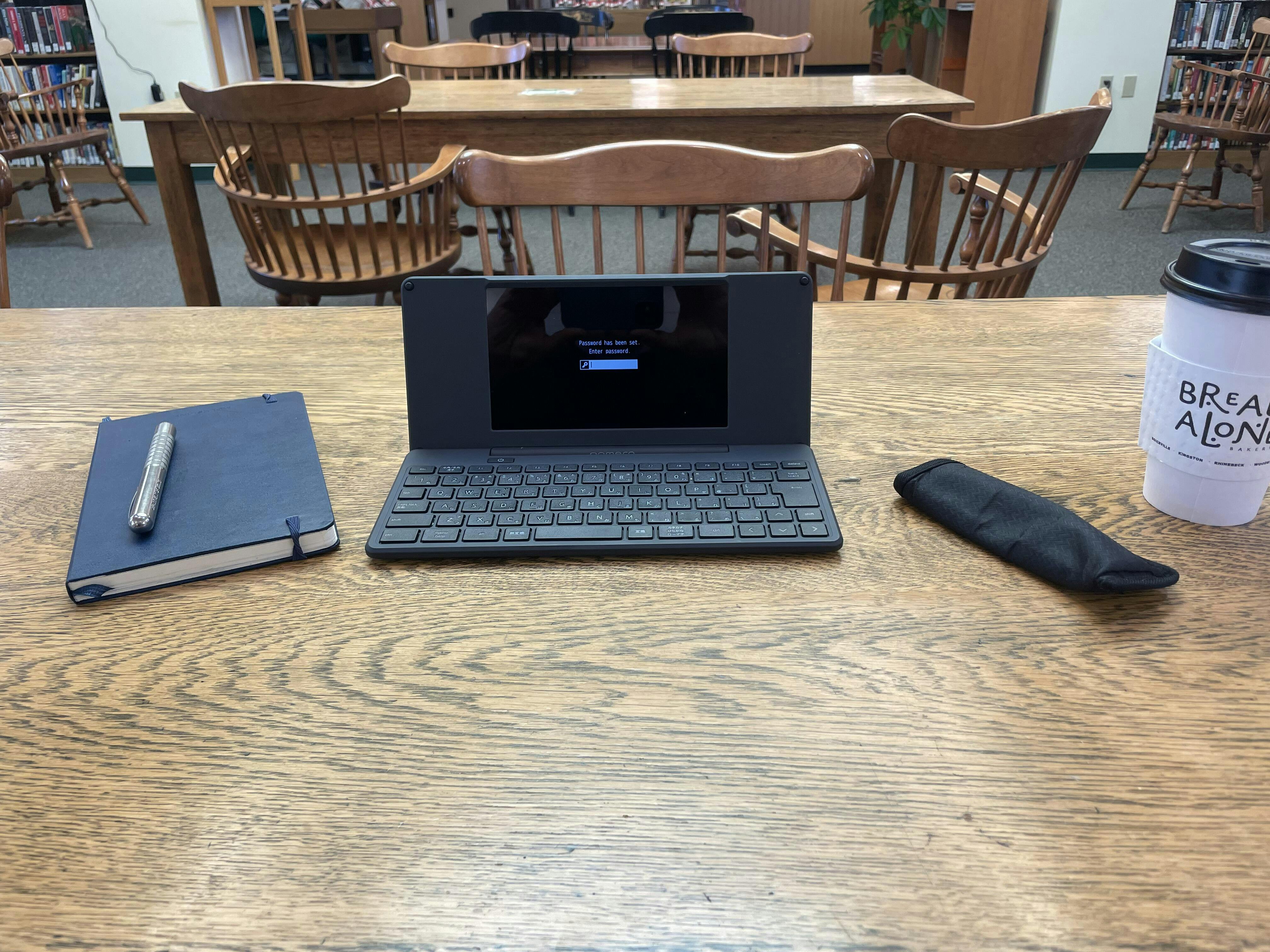
Library: Quiet keys and discrete form factor make this a good device for social places
Coffee Shop: It's smaller than a laptop and gives you a lot more table space.
Bars: Not as visually loud as a laptop. Stealth mode!
Sofa: It's fine when you have feet flat on ground but not so good if your lap is at an angle, it's not as balanced as a lap top.
Travel: Would I go with this and a laptop or ipad? Propbaly not particularly as a minimal packer. I would take it on a holiday when I'm not working. This and a table on the beach, no emails etc, bliss!
I'm happy with my new distraciton free writing tool. This was what I was looking for and it delivers maaking it a worthwhile and reasonably well priced device for my needs.
For the next version, some nice to haves could be:
A higher quality keyboard, a little larger with a slightly deeper key feel. Some low key backlit passthrough keys would be handy. As it stands, the keyboard just gets out the way and does its job making the overlal package an attractive choice for anyone looking for a simple, super portable writer deck.
A no-lag eInk screen. I love the screen ratio...